Contracts
Contract list
Contratti lists all contracts with number, vehicle, customer, pick-up and return, status, CaRGOS status and total.
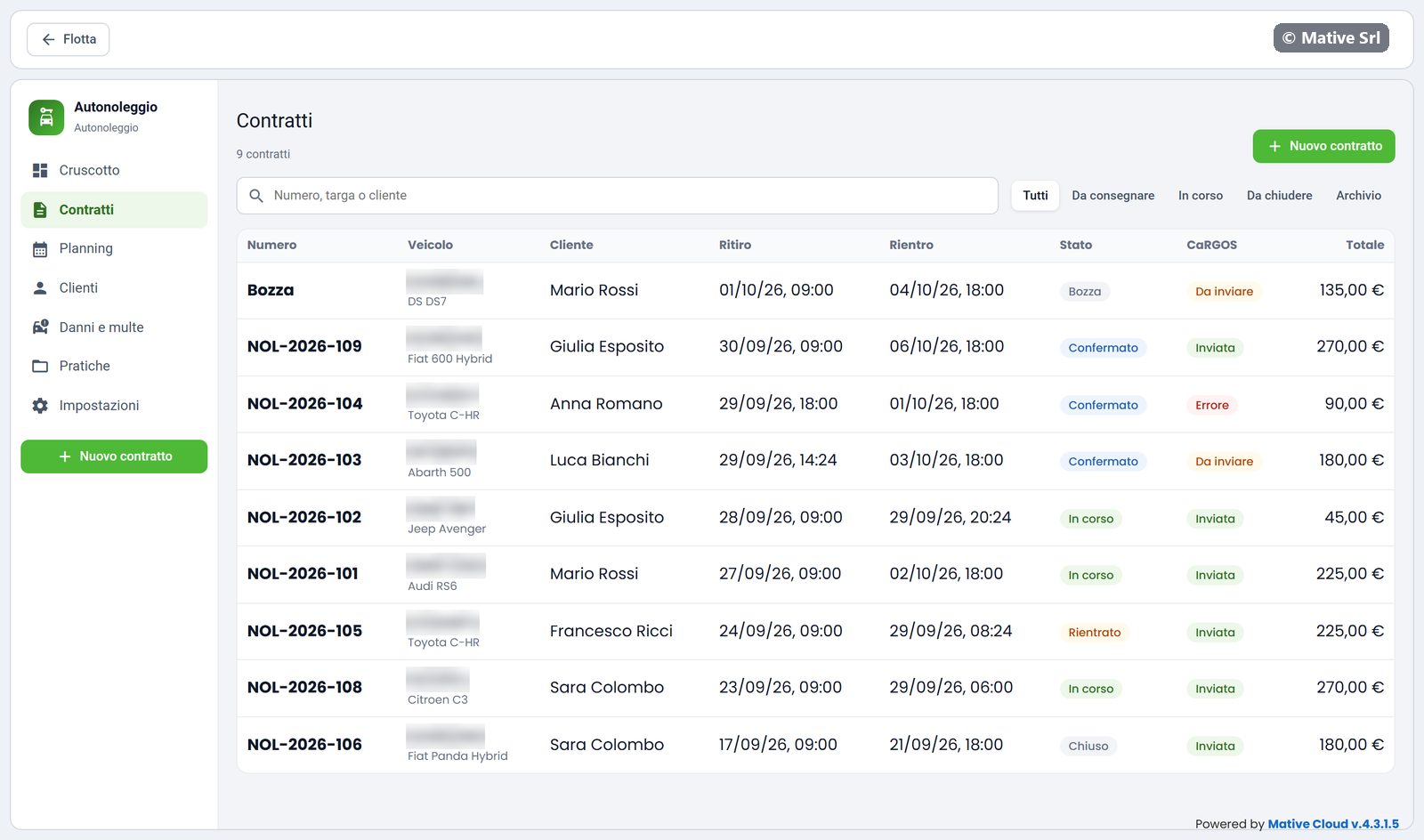
- Search: contract number, plate or customer name.
- Filters: Tutti (all), Da consegnare (to hand over: drafts, booked and confirmed), In corso (in progress), Da chiudere (returned, to close), Archivio (closed and cancelled).
Click a row to open the contract.
Contract detail
The detail opens in a window. At the top you see the steps of the contract (Bozza, Confermato, Consegnato, Rientrato, Chiuso), then the data:
- vehicle, customer, contracting party and second driver;
- pick-up and return, with date, time and branch;
- total and deposit, included km;
- signature: when and how it was given (su schermo + OTP, on screen and OTP).
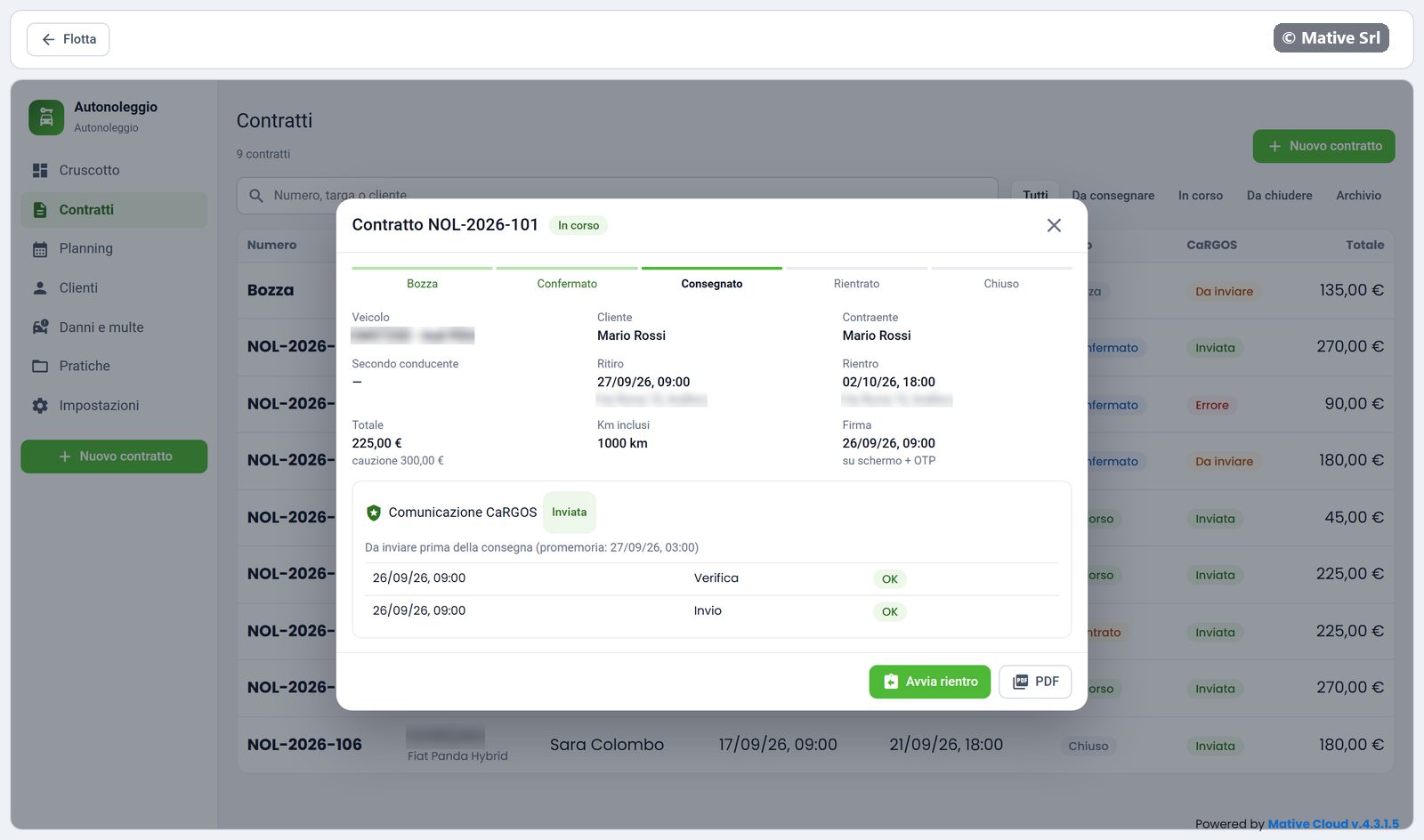
When something is missing to go ahead, a yellow band says what, for example Per procedere manca: CaRGOS non inviato (to proceed you need: CaRGOS not sent).
CaRGOS box
The Comunicazione CaRGOS box shows the status of the communication and every attempt, with date, type (Verifica, check, or Invio, send), result and the message returned by CaRGOS. The reminder tells by when it must be sent: before the handover.
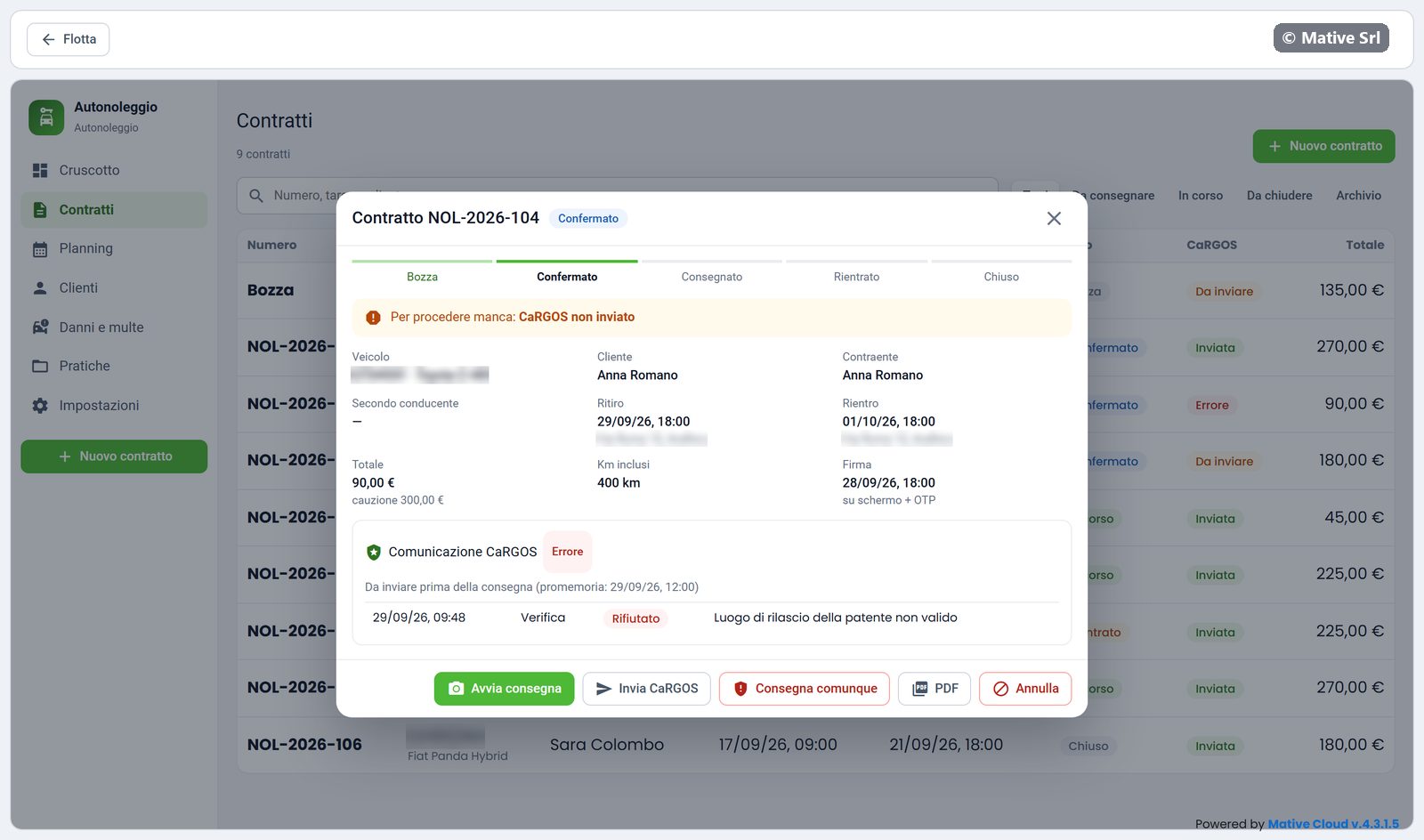
If CaRGOS rejects the data, correct the customer record and press Invia CaRGOS again.
Actions
The buttons at the bottom depend on the status:
| Button | When |
|---|---|
| Conferma contratto | Draft: confirms the contract. If data is missing, a window lists what is missing. |
| Avvia consegna | Confirmed: opens the handover |
| Invia CaRGOS | CaRGOS not sent or in error |
| Consegna comunque | CaRGOS in error: hand over anyway, with a reason that stays on record |
| Avvia rientro | In progress: opens the return |
| Downloads the contract | |
| Annulla | Cancels the contract before the handover |